
Google Desktop Search 2 (beta 2) and Sidebar

Thursday, August 25, 2005
I haven’t seen or noticed anything new about the file indexer, although there are a lot of new filters and plug-ins available. I did notice that it was apparently necessary to re-index my entire drives all over again. I would have thought it could re-use the old metadata or at least update it to a new format, instead of bringing my system to a crawl for a couple of hours.

The SDK looks a little light in my opinion. I'm hoping they'll add some functions that will provide more interactivity between the panels.

The sidebar is pretty nice looking. It does have several nifty panels like all of the rest of these types of applications; stocks, instant-overload news feeds, and of course... the weather. I think most of these are useless, just like any other sidebar-type of application. Do I really need to use of screen real estate for the weather or thumbnails of my images or the first three words of email messages?

I think they could have come up with a better name for RSS feeds, though. I mean, if Google wanted to rename RSS feeds as theirs, like so many other companies have attempted recently, they could have at least picked something other than Web Clips. It doesn't seem to fit the definition, to me.

I really like how the Sidebar displays the Web Clips, though. Only showing the title and where it was from is a nice change from the normal aggregator, viewer. When you double click it you get to read their Blog on their site. A problem I have with other aggregators is that it all feels like I’m reading a summary from some unknown Internet narrator. When I visit the sites themselves to read their Blog it feels like they’re speaking directly to me with all of their colors, types, and personal flair.

Overall it is certainly the best I’ve seen, but I probably won’t use it for more than the time it takes me to check it out. After that it’ll be back to the system tray icon for GDS.

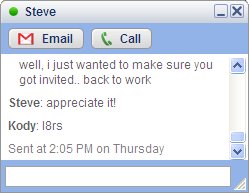
Google Talk

Here it is, the day after my little rant about wasting time and I find Google has come out with a couple of nifty little applications. Google Talk and Google Desktop Search 2 (with Sidebar) Beta 2. They look both look great.

Google Talk

Wow, what a cool thing! Talk looks sweet; it’s very simple, even elegant!

It is built on open standards. Maybe that will force the other IM makers (namely MSN, Yahoo, and AOL) to quit fighting like children. The open standard means that it will work with other clients such as Trillian, Jabber, and iChat.

I absolutely love the fact that I can control how my contacts show up in the list! That is the best feature to be added to an IM in years! Seriously!

I truly dislike how I am always searching for contacts in MSN, because they change their display names. It is such a pain! And, then there are those that add additional verbiage to their name so that it reaches the allowable limits that in no identifiable way reflect who this contact really is.

It has several nice windowing features including window roll-up or shading as some call it. It also provides keyboard access to each open IM window and the main window via the TAB key. The auto open and collapse feature is really nice when you are talking to multiple contacts at the same time, too. Very nice!

I haven’t tried making a call, yet. But, I’m sure I will very soon.

I do have a couple of complaints, though. Why can’t I right-click somewhere within Talk (or the Sidebar, for that matter) and get a compose email window? Also, why can’t I delete a message in the window that pops up? That’s really annoying and makes using the mail panel not worth using at all. I know, I know, Google wants people to save all of their email. Well, aside from the inherent issues with that (such as eventually running out of space then having to sort through thirty thousand emails to find ones to delete; I’ll leave that for another discussion), I don’t really want to save newsletter subscriptions.

But, honestly, I don’t know if I want to go through switching to a new IM client. It’s usually a major ordeal and not everyone else wants to switch. Now, if it allowed me to use my hotmail account with my existing hundred or so contacts, it would be an easy sell.

This is the best looking IM client for sure. It has excellent features. I’ll use it for a while and see what happens.

Productivity Lost

Wednesday, August 24, 2005
Where has all the time gone?

I finally started using a Blog aggregator. Yup, I looked at a few and decided upon NewsGator.com’s free web interface to try out. I have successfully added some of the Blog sites that I like to read. Sites like engadget.com, wilwheaton.net, and of course scobleizer to name a few…

I am totally amazed at the amount of content produced by some of these people. Being a casual read of a few sites and a steady Googler for solutions I had no idea how much stuff is out there! Wow!

That makes me think about a business article I read years ago about executives that were pleased to get four or five good, productive hours from their employees each day (out of an eight hour work day). The causes listed were almost entirely tasks that should be done at home. Things like online banking, talking on the phone with friends, planning personal vacations and traveling arrangements, chatting at the "water cooler" about non-work related topics, the list goes on and on (and gets worse). At the time I was outraged at the thought! But, compared to today’s average hours...

Productivity lost

Look, I don’t like working long hours, but a lot of people I have worked with apparently don’t mind or don’t realize their conundrum. People whine and complain about the long hours but everyone seems content to continue to perform personal tasks while at work. What’s the difference? If you manage your checking account at work, you should expect to put in more time later to make up the difference.

Do I need another productivity booster for things that don’t matter? I’m talking, in particular, about the Sidebar in Microsoft’s Longhorn operating system and other applications like it. The majority of current dashboards fall into this trend as well.

Sure, monitoring the weather outside all day is important if you’re the weatherman. Sidebars, instant messengers, widget tools are all cool and provide nice eye candy, but providing me more information about more things doesn’t help me accomplish my tasks. In my opinion, this trend of providing sidebars and dashboards to show me constant (useless) information is only making things worse. Don’t get me started on how the Dashboard concept has been bastardized into meaningless eye candy.

If it doesn’t provide meaningful, relevant data then I’m not interested in using it. I think that is Microsoft’s real challenge for the future. That’s any information company’s challenge, be it Microsoft, Google, Yahoo, Amazon... Provide useful, relevant information when I want it; don’t shove it down my throat.

For those that use these utilities; close them and get your tasks done so you can go home.

WScript.Shell ExpandEnvironmentStrings

Thursday, August 18, 2005
Many of you out there who’ve been developing for more than a few years might appreciate the value of Batch files. I still use them. I feel the same way about VBScript files (or JScript files if you prefer). More so, actually, because I can do so much more right out of the box.

Anyway, I was using the WScript.Shell object to automate some tasks and found an interesting thing I haven’t run into or perhaps just never noticed. When I get an environment variable using the ExpandEnvironmentStrings method, if the variable doesn’t exist it will return what you passed in to it.

Dim objShell : Set objShell = CreateObject("WScript.Shell")
MsgBox objShell.ExpandEnvironmentStrings("%MyPath%")
Set objShell = Nothing

If the %MyPath% environment variable exists on your machine it will show the value stored in the variable. (I ran into this running the same script on all versions of Windows.) If it doesn’t exist it will show %MyPath%. That was wreaking havoc on my little script.

So, I just perform a simple check afterwards to verify the value exists.

Dim objShell : Set objShell = CreateObject("WScript.Shell")
Dim sValue
Dim sVarName

sVarName = "%MyPath%"
sValue = objShell.ExpandEnvironmentStrings(sVarName)

If sValue <> sVarName Then
MsgBox sVarName & " = " & sValue
Else
MsgBox sVarName & " does not exist"
End If

Set objShell = Nothing
Older Posts Home Newer Posts